
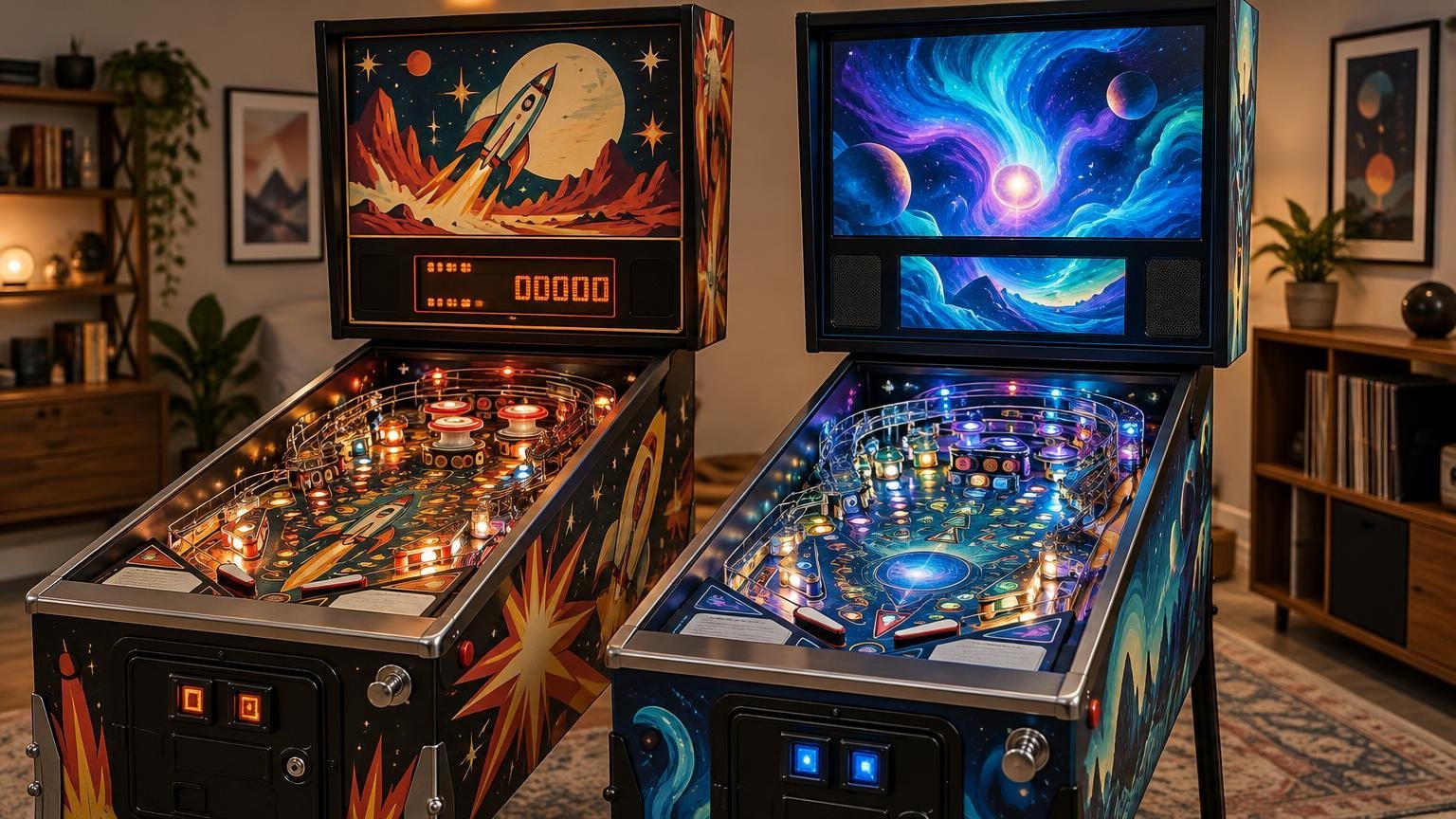
An LCD vs DMD pinball machine comparison looks simple until you start shopping. LCD games have full-color screens, detailed graphics and more space for information. Dot-matrix displays use a limited grid of illuminated dots, usually with a single base color. On appearance alone, LCD seems like the obvious technological upgrade.
That does not make it the better pinball machine. Display technology affects presentation, readability, replacement options and visual style. Game design determines whether the shots, rules, mechanisms and feedback make you want to press Start again. For most buyers, the right answer is to choose the game first and evaluate its display as one component of the complete machine.
What actually changes between DMD and LCD pinball?
A traditional DMD creates images on a low-resolution dot grid. Stern’s Lord of the Rings documentation specifies a 128 × 32 display and identifies related controller, row-driver, column-driver and ribbon-cable components. The manual also includes display diagnostics, which can help an owner or technician separate a panel problem from another fault in the display system.
DMD presentation works within tight limits. Designers use bold lettering, silhouettes, short animations and carefully timed flashes because fine detail is unavailable. That constraint became a recognizable visual language rather than merely an old technical limitation. Data East’s 1991 Checkpoint is identified by The Pinball Archive’s history timeline as the first production pinball machine with a dot-matrix display. The broader transition is covered in our history of the DMD era in pinball.
An LCD can display full-color graphics, conventional fonts, layered status information and video. Its dimensions and resolution still depend on the individual machine; “LCD pinball” is not one universal hardware specification. For example, the Toy Story 4 owner’s manual identifies a 10-inch LCD for that particular game.
| Buying factor | DMD machine | LCD machine |
|---|---|---|
| Presentation | Stylized dots, limited detail and a strong period identity | Full color, finer text, layered graphics and possible video |
| Gameplay effect | Depends on how well the game communicates rules and events | Depends on whether the screen supports play instead of distracting from it |
| Inspection priority | Panel consistency, missing lines or dots, connectors and associated boards | Image stability, color, backlight, cables, mounting and associated electronics |
| Software importance | Rules and animations still depend on title-specific code | Rules, interface and screen use depend heavily on title-specific code |
| Ownership question | Can the exact display system be diagnosed and supported? | Are model-specific parts, software and documentation available? |
The display cannot rescue weak game design
A large color screen can present mode progress, character art and complicated rules clearly. It can also spend too much time showing decorative video while the player needs a simple answer: What shot is lit? A DMD has less room, but a well-designed game can communicate that answer through lamps, sound, inserts and concise display cues.
The same principle applies to rules. Software maturity belongs to an exact title and edition, not to a display category. Stern maintains downloadable code and read-me files organized by game and, where relevant, edition. Stern’s game-code archive is therefore more useful than assuming every LCD title receives continuing development or every DMD title is frozen in time.
Normalize the comparison before choosing a machine
Comparing a worn DMD game from the 1990s with a new LCD machine compares age, condition, design generation and purchase terms all at once. It does not isolate the displays. Normalize the factors that have a larger effect on ownership:
- Edition: Compare the exact Pro, Premium, LE, remake or collector configuration. Mechanical features may change even when two editions use similar displays.
- Condition: Inspect the playfield, cabinet, mechanisms, boards, connectors and service history. A bright display does not compensate for neglected hardware.
- Price: Compare actual configurations and condition. Separate asking prices from completed sales when using marketplace data.
- Code: Confirm the installed version and review official release notes for the exact title and edition.
- Serviceability: Look for manuals, schematics, replacement parts and technicians familiar with the machine’s platform.
- Home use: Consider sound, lighting, floor space, transport path, stairs, power and the clearance needed to raise the playfield or remove the backbox glass.
These factors often reverse a display-first decision. A clean, documented DMD game with accessible parts may be the easier machine to own. A newer LCD game may make sense when its mechanisms, rules and support fit the buyer better. Anyone moving from casual play to ownership should also understand what owning a modern pinball machine involves beyond the initial purchase.
Inspect the symptom, not just the screen
When evaluating a DMD machine, look for missing rows or columns, uneven brightness, flicker and image instability. These observations identify a symptom, not its cause. Stern documentation shows that a DMD system includes the display, control electronics, drivers and cables, while the PinWiki Stern S.A.M. repair reference discusses how display symptoms can involve power, connectors or boards rather than the visible panel alone.
A replacement panel may also differ from the original technology. Stern currently lists a red LED 128 × 32 dot-matrix replacement, illustrating that a DMD-era machine does not necessarily retain its original plasma display. Ask what is installed, whether it is compatible with the game and whether any modification is reversible.
For an LCD machine, inspect for intermittent blanking, color or backlight problems, physical damage and loose mounting. Confirm that startup, diagnostics and gameplay all use the screen correctly. The visible panel is still only one part of the system, so avoid buying a replacement based on a visual guess alone.
Owners can safely observe behavior, run documented user-accessible tests and record when a fault occurs. Internal electrical diagnosis requires the correct manual, appropriate measurement skills and an understanding of the platform. Turn the machine off before routine internal inspection, and use a qualified technician when the task involves powered testing, high-voltage areas or uncertain board work.
Choose the game you want to live with
Choose DMD when you value its graphic style, prefer games from that design era or find a specific title whose shots and rules suit you. Choose LCD when a particular game uses color and extra screen space effectively, not merely because the display is newer.
Then make the final decision on the exact machine: edition, physical condition, installed code, documentation, parts path, price and fit in the home. A display can shape a pinball machine’s personality, but the playfield, rules and long-term serviceability determine whether that personality remains enjoyable after the novelty of the screen wears off.
Frequently Asked Questions
Is an LCD pinball machine automatically better than a DMD machine?
No. LCDs offer color, finer text and more screen space, but the better machine is the one with stronger shots, rules, feedback, condition and long-term serviceability for your needs.
What should I inspect on a DMD pinball machine?
Look for missing rows or columns, uneven brightness, flicker and image instability. Treat these as symptoms rather than a diagnosis because the display, power, connectors, cables or associated boards may be involved.
Can a DMD-era machine have a modern replacement display?
Yes. Stern lists a red LED 128 × 32 replacement display, so a DMD-era game may no longer have its original plasma panel. Confirm compatibility, installation details and reversibility before buying.
Does display type indicate how mature or supported the game code is?
No. Check the exact title and edition. Stern organizes downloadable code and read-me files by game and, where relevant, edition, making title-specific records more useful than LCD-versus-DMD assumptions.
What matters most when comparing a DMD machine with an LCD machine for home use?
Normalize the edition, condition, price, installed code, documentation and parts path first. Then consider sound, lighting, floor space, transport access, stairs, power and the clearance needed for servicing.