TLDR
Yes, there are several common issues with Earthshaker pinball machines, but most are normal vintage pinball problems rather than reasons to avoid the game.
The biggest things to check are the shaker motor, pop bumpers, fault line mechanism, under-playfield fuses, battery holder, flipper strength, switches, connectors, and the auxiliary power driver board.
Earthshaker is a fantastic classic Williams System 11 game, but it has more moving parts and vibration than many games from the same era. That is part of the charm. It also means condition matters.
Intent Sentence
This post helps Earthshaker owners and potential buyers understand common Earthshaker pinball problems by explaining the likely trouble spots, so they can inspect, troubleshoot, or discuss repairs with more confidence.
Are Earthshaker Pinball Machines Reliable?
Earthshaker pinball common issues are mostly the kinds of problems you would expect from a Williams game built in 1989: aging connectors, tired flipper parts, fuse issues, battery backup problems, switch adjustments, and solenoid power problems. The difference is that Earthshaker also has a few signature features that create extra diagnostic paths.
The game is famous for its earthquake theme, shaker motor, fault line diverter, pop bumper action, and, on early sample games, the moving Earthquake Institute building. Those features make Earthshaker feel more alive than a simpler late-1980s pin. They also add parts that can wear, misadjust, or stop working after decades of play.
That does not make Earthshaker a bad ownership choice. In fact, many collectors love it because it is interactive, funny, approachable, and historically important. But it is not a machine where you should only ask, “Does it turn on?” A clean Earthshaker should be checked feature by feature.
Quick Background: Why Earthshaker Has Its Own Set of Problems
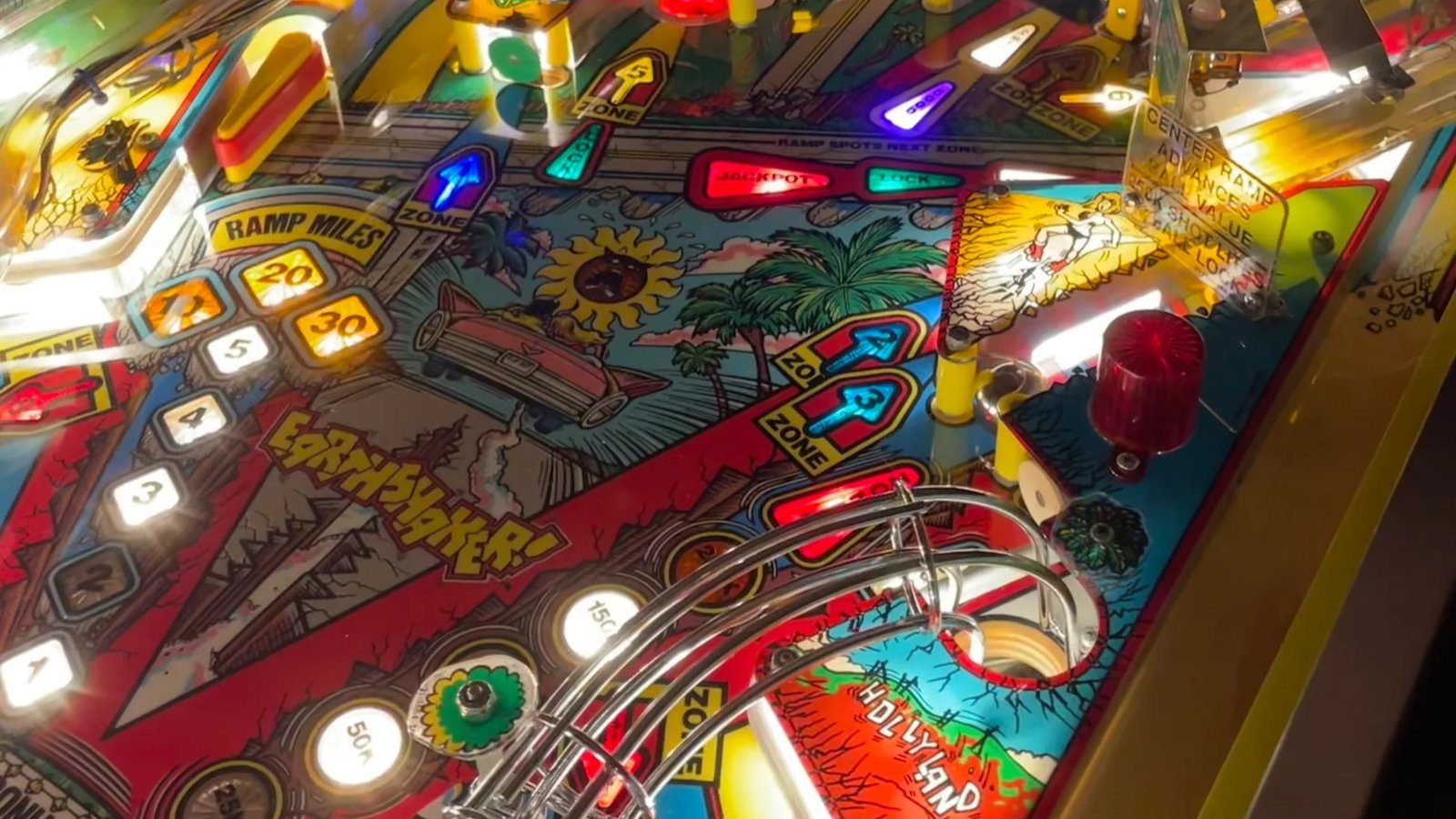
Earthshaker was designed by Pat Lawlor and released by Williams in 1989. It runs on Williams System 11B hardware and includes three flippers, three pop bumpers, vertical upkickers, a drop target bank, a spinner, a messenger ball, a shaker motor, and a diverter that opens the path between California and Nevada to simulate the game’s fault line.
That combination gives the game a lot of personality. It also creates a few areas where trouble tends to cluster:
- The shaker motor and its control circuitry
- The pop bumpers and their fuses
- The auxiliary power driver board
- The fault line diverter and subway/VUK switches
- Battery backup and “Adjustment Failure” messages
- Flipper EOS switch and fuse issues
- General connector and age-related System 11 problems
The good news is that most of these issues are diagnosable. The bad news is that Earthshaker can send you chasing the wrong thing if you do not know which features share power, fuses, switches, or driver-board components.
1. Shaker Motor Problems
The shaker motor is Earthshaker’s signature feature. When it works, the cabinet rumbles along with the earthquake theme and the game feels wonderfully theatrical. When it does not work, Earthshaker loses a big part of its identity.
Common shaker motor symptoms include:
- Shaker motor does not run at all
- Shaker motor is weak
- Shaker runs but blows a fuse during gameplay
- Shaker works in test but not consistently in a game
- Shaker locks on or behaves unpredictably
- Shaker wiring or control board has been removed or modified
The first mistake is assuming the motor itself is always the problem. Sometimes it is. Brushes, internal wear, bad wiring, or a failing motor can all matter. But owners also run into power feed problems, fuse problems, broken wiring, connector issues, or auxiliary board faults.
One useful diagnostic clue: if the shaker motor and pop bumpers both fail together, think beyond the motor. On Earthshaker, those features can overlap in the special solenoid power area. That means a shared fuse, power feed, or auxiliary power driver board issue can appear as two separate mechanical problems when it is really one electrical problem.
2. Pop Bumpers Not Working
Dead pop bumpers are one of the most commonly discussed Earthshaker issues. The game has three upper-left pop bumpers, and when they are dead, the top of the game feels flat.
Common symptoms include:
- All three pop bumpers are dead
- Pop bumpers work in test but fail during play
- Pop bumpers work for a few games, then blow a fuse
- Pop bumpers are weak or inconsistent
- Pop bumpers and shaker motor fail together
The important Earthshaker-specific detail is the dedicated pop bumper fuse. Owners sometimes miss it because it is under the playfield and can be easy to overlook. Before assuming you have a bad coil, bad driver, or failed board, check the correct fuse with a meter and verify the fuse value.
Do not “solve” a recurring fuse problem by installing a larger fuse. That is one of those fixes that can turn a small problem into a much more expensive one. A fuse is protecting the circuit. If it keeps blowing, the goal is to find out why. Possible causes include a shorted coil, wiring issue, switch problem, bad diode, bad transistor, or another problem in the power path.
3. Auxiliary Power Driver Board Issues
Earthshaker uses the later System 11-style auxiliary power driver board setup. This board is part of why the game can drive its higher-current devices, but it is also a common place to inspect when special solenoids, pop bumpers, or shaker-related functions are not behaving.
Things to check include:
- Correct fuses and fuse holders
- Bridge rectifiers
- Board connectors
- Header pins
- Cracked solder joints
- Burnt or overheated areas
- Zero-ohm resistor jumpers that have failed open
- Driver transistors and pre-driver components
Some System 11 auxiliary power driver boards used zero-ohm resistors as jumpers. Those can fail open with age. When that happens, the board may look mostly fine, but power or signal flow can be interrupted.
This is where a multimeter matters. Guessing at boards gets expensive quickly. A good tech will usually check voltage at the relevant connector, verify continuity, inspect the board for old repairs, and look for failed jumpers or weak connections before replacing major parts.
4. Fault Line, Diverter, Subway, and VUK Problems
Earthshaker’s fault line feature is another place where mechanical and electrical issues can overlap. The game uses a diverter and under-playfield routing to send the ball through different paths. When this system is not right, the symptoms can feel strange.
Common signs include:
- Ball ejects from the wrong place
- Ball gets stuck or delayed in the subway
- Fault line diverter does not open or close correctly
- Game seems to think a ball is somewhere it is not
- VUK or kickout behavior is inconsistent
- Fault line feature works sometimes but not reliably
This is often a switch-and-mechanism problem rather than a catastrophic board issue. A bent switch, slow switch, dirty switch, misaligned actuator, sticky mechanism, or weak coil can make the game behave as if the software is confused.
A practical inspection should include the subway switches, diverter movement, coil sleeve, linkages, wiring, and any signs that a previous owner bent switches to “make it work.” That kind of adjustment may solve one symptom and create another.
5. “Adjustment Failure” at Startup
Another common System 11-era issue is an “Adjustment Failure” message at boot. On Earthshaker, this can point to a battery backup problem where the game is not properly preserving settings, audits, or high scores.
The usual suspects include:
- Dead AA batteries
- Corroded battery holder
- Broken battery holder contacts
- Battery voltage not reaching the RAM
- Diode issues in the battery backup path
- U25 RAM problems
- Prior corrosion damage on the CPU board
This is one of the first things to check on any Earthshaker purchase. Battery leakage can damage the CPU board, and even minor corrosion can become a bigger repair if ignored.
A remote battery holder is a common preventative upgrade. The idea is simple: get the batteries off the CPU board so future leakage does not drip directly onto expensive electronics. This is not flashy, but it is one of the most practical reliability improvements on many older solid-state games.
6. Flipper Weakness and EOS Switch Issues
Earthshaker is a fast, shot-based game, and weak flippers change the entire feel. Because the machine is now several decades old, flipper rebuilds and EOS switch adjustments should be considered normal maintenance.
Watch for:
- Weak lower flippers
- Weak upper flipper
- Flipper fuse blowing
- Flipper works briefly, then fails
- Flipper buzzes, chatters, or overheats
- Ball cannot make ramps or key shots consistently
An EOS switch that is out of adjustment can cause real problems. It can leave the flipper in high-power mode too long, blow a fuse, overheat a coil, or make the flipper feel inconsistent. Mechanical wear can also be the culprit: old coil sleeves, worn plungers, mushroomed coil stops, tired springs, and sloppy pawls all reduce power.
For a game like Earthshaker, a fresh flipper rebuild can make a dramatic difference. Do not judge the design of the game from a tired example with weak flippers.
7. General Illumination and Connector Problems
Earthshaker is still a late-1980s Williams machine, which means connector condition matters. General illumination connectors, power connectors, and board headers can develop heat damage, cracked solder joints, or weak contact over time.
Symptoms can include:
- Playfield lights out
- Intermittent lighting
- Burnt connector housings
- Flickering GI
- Features cutting in and out
- Voltage present at the board but not at the device
These are not exclusive to Earthshaker, but the game’s vibration makes it worth paying close attention to connectors and solder joints. A machine that physically shakes is going to be harder on aging connections than a calmer game.
8. Sinking Building Issues on Sample Games or Mods
Most production Earthshaker machines have a stationary Earthquake Institute building. Early sample games reportedly had a building that sank into the playfield, and some owners have added aftermarket moving building kits.
This is important because moving-building problems do not apply to every Earthshaker. If the machine has a moving building, inspect it as a separate mechanical system.
Potential issues include:
- Building does not move
- Motor or mechanism stalls
- Switches are misadjusted
- Feature blows a fuse
- Mechanism is binding
- Wiring was added or modified poorly
A moving building is a great feature when working correctly, but it adds complexity. On a buying inspection, do not just ask whether the machine has the mod. Ask whether it works, how it was installed, and whether it has been reliable.
9. Drop Targets, Switches, and Normal Shop-Out Needs
Beyond the headline features, Earthshaker still has the usual vintage pinball maintenance items:
- Dirty switches
- Misadjusted switches
- Drop target wear
- Broken or weak rubbers
- Dirty playfield
- Worn shooter lane
- Cracked plastics
- Tired lamps or sockets
- Ball trough issues
- Loose hardware
- Old balls causing extra playfield wear
These are normal on a machine from 1989. They are not necessarily red flags unless the seller is pricing the game as fully restored while the game clearly needs a full shop-out.
Earthshaker Buyer Checklist
Before buying an Earthshaker, test these items:
Shaker Motor
Does it run during gameplay and test mode? Does it sound healthy? Does it blow a fuse?
Pop Bumpers
Do all three fire strongly? Do they keep working after several games?
Fault Line and Subway
Does the diverter behave correctly? Do balls eject properly? Are there any mystery ball searches?
Flippers
Are all three flippers strong? Can the game make its intended shots? Any fuse issues?
Startup
Does the game show “Adjustment Failure”? Are settings and high scores saving?
Boards
Look for battery corrosion, burnt connectors, hack repairs, missing boards, or obvious jumper work.
Fuses
Are the correct values installed? Are any fuses wrapped, oversized, or bypassed? Walk away from “creative” fuse solutions unless you are pricing in repairs.
Playfield and Cabinet
Check the cabinet for vibration-related wear, loose parts, and general condition. Earthshaker is supposed to shake, but it should not feel like it is slowly disassembling itself.
Should You Avoid Earthshaker Because of These Issues?
No. Earthshaker is still a great classic pinball machine, and most common issues are manageable for a good pinball technician or a patient owner with a manual, meter, and careful troubleshooting habits.
The better takeaway is this: buy based on condition. A clean, maintained Earthshaker with rebuilt flippers, healthy boards, working shaker, active pop bumpers, reliable fault line behavior, and clean battery backup is a very different ownership experience than a project game with unknown board work and half-working features.
Earthshaker is not fragile in the sense that it should scare collectors away. It is just old, mechanical, and wonderfully theatrical. Those are the exact reasons people love it.
FAQs About Earthshaker Pinball Common Issues
What is the most common Earthshaker pinball problem?
The most common issues tend to involve the shaker motor, pop bumpers, fuses, battery backup, and System 11 board/connectors. The game’s unique features make it more important to diagnose shared power and fuse paths before replacing parts.
Why are all three pop bumpers dead on my Earthshaker?
Start with fuses, especially the dedicated under-playfield pop bumper fuse. Then check voltage at the coils, wiring, switches, and the auxiliary power driver board. If the pop bumpers and shaker motor are both dead, think about shared power before assuming three separate coil failures.
Why does my Earthshaker say “Adjustment Failure”?
That usually points to a battery backup issue where the game is not properly powering the RAM that saves settings and high scores. Check the AA batteries, battery holder, corrosion, battery voltage path, diode, and U25 RAM area.
Is the shaker motor hard to fix?
It depends on the failure. A bad motor, bad brushes, bad wiring, missing control board, bad fuse, or failed power feed can all produce shaker problems. The key is to test the circuit rather than guessing.
Did all Earthshaker machines have a sinking building?
No. The sinking Earthquake Institute building is associated with early sample games, and most production Earthshaker machines have a stationary building. Some machines may have aftermarket moving-building kits installed.
Is Earthshaker a good home-use pinball machine?
Yes, especially for collectors who like classic Williams games, humor, tactile feedback, and approachable rules. Just make sure the game has been properly maintained or priced honestly as a project.